Give Claude your transcript and get back a clear plan: the hook, what to cut, what to show, what text goes on screen and which moments become Shorts. Then hand the approved plan to Claude to cut the pauses and retakes, caption the video and build the graphics.
Get the System for $2991-page PDF · instant download · works with any editor

You sit down with an hour of footage and an empty timeline, and you start making a few hundred small calls while dragging clips around. Where does it start? What goes? What does the viewer need to see here? No wonder one video takes the whole afternoon.
Claude is a fast, tireless assistant editor that has read every word of your transcript. You keep the taste, the footage and the final call.
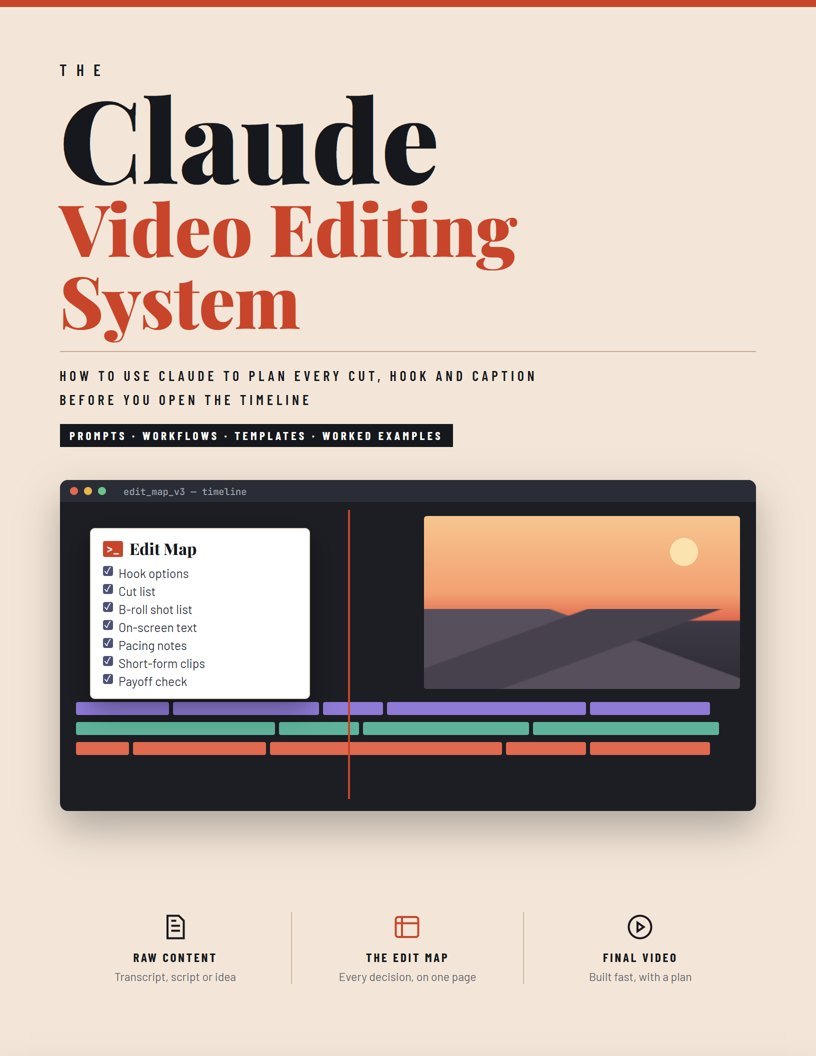
Seven lenses (hook, cut, B-roll, text, pacing, clips, payoff) turn a transcript into one page you can build from.
Five review passes find the boring, confusing and repetitive parts before you cut a single frame.
Once the plan is approved, Claude removes pauses and retakes, writes word-timed captions and builds motion graphics.
Part 6 is built from the latest creator tutorials on editing with Claude. Pick one route, learn it on one video, and keep the editor you already use.
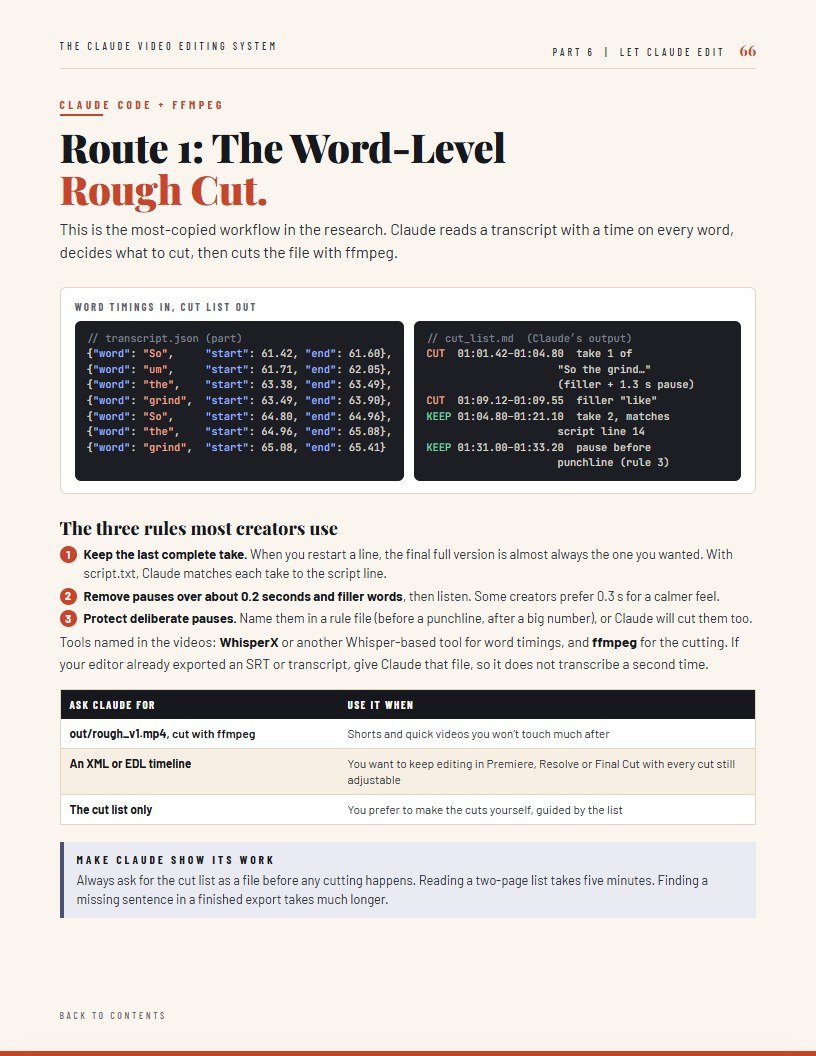
Claude reads a transcript with a time on every word and cuts pauses, fillers and retakes with ffmpeg, or exports a timeline for your editor.
Claude edits a duplicated CapCut project directly: cuts, captions and text, ready for you to finish.
Through an open-source connection, Claude works on a copy of your sequence: markers, cuts and captions.
Built into Resolve Studio, or through an open-source connection, for project setup and timeline work.
Part 1 reads like a short book. Everything after it is a toolkit: lessons with prompts, worked examples, templates and checklists.
Setting Claude up once for your channel, the seven-lens Edit Map, your Channel Style Sheet, the Master Edit Brief and the paste-ready first prompt.
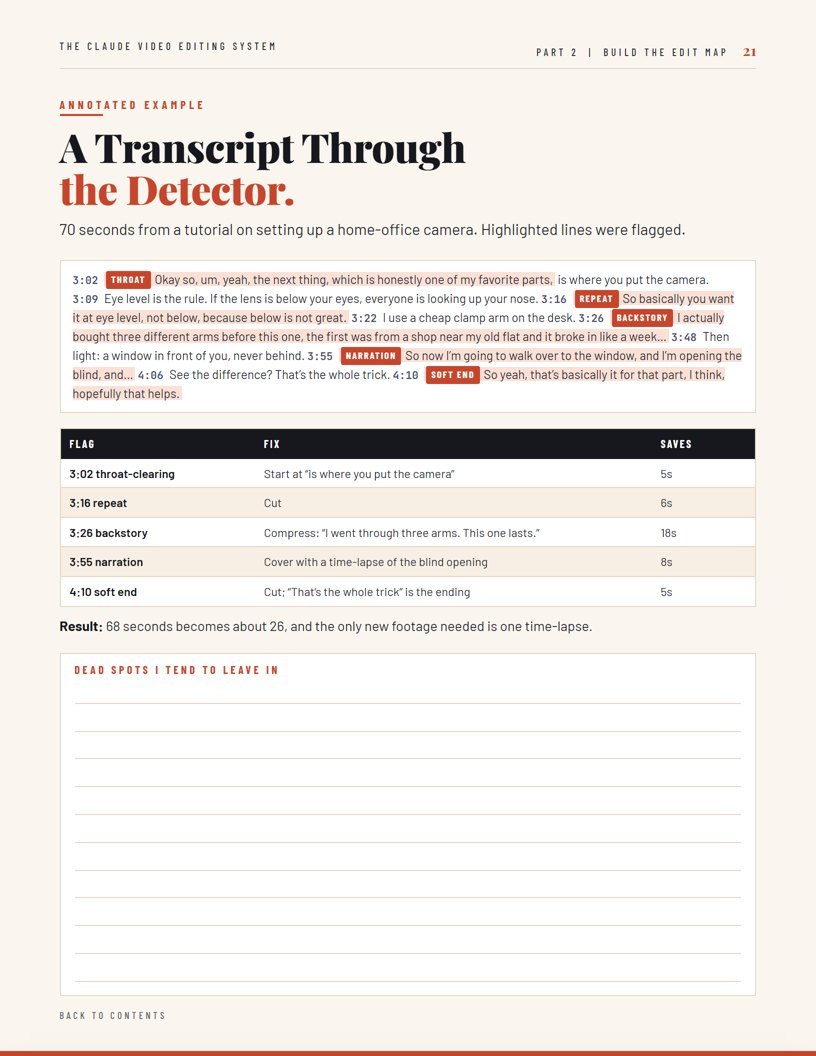
Each lens with a lesson, a prompt and a worked example: hooks, the Cut Map, the Dead-Spot Detector, B-roll, text, pacing, pattern interrupts, clips, payoff and the Human Check.
Long-form, Shorts, talking head, faceless, tutorials, podcast clips, product demos and sales videos, each with prompts and an example or template.
Boring, confusion, repetition, visual-and-proof and final human passes, plus a revision log that shows your recurring mistakes.
The 30-minute pre-edit, the rough cut, the visual layer in order, captions and accessibility, final QC, titles, thumbnails and chapters.
The edit folder, the word-level rough cut, CapCut, Premiere and Resolve routes, motion graphics in batches of five, the review pass, turning your edit into a reusable skill, and the real costs and limits.
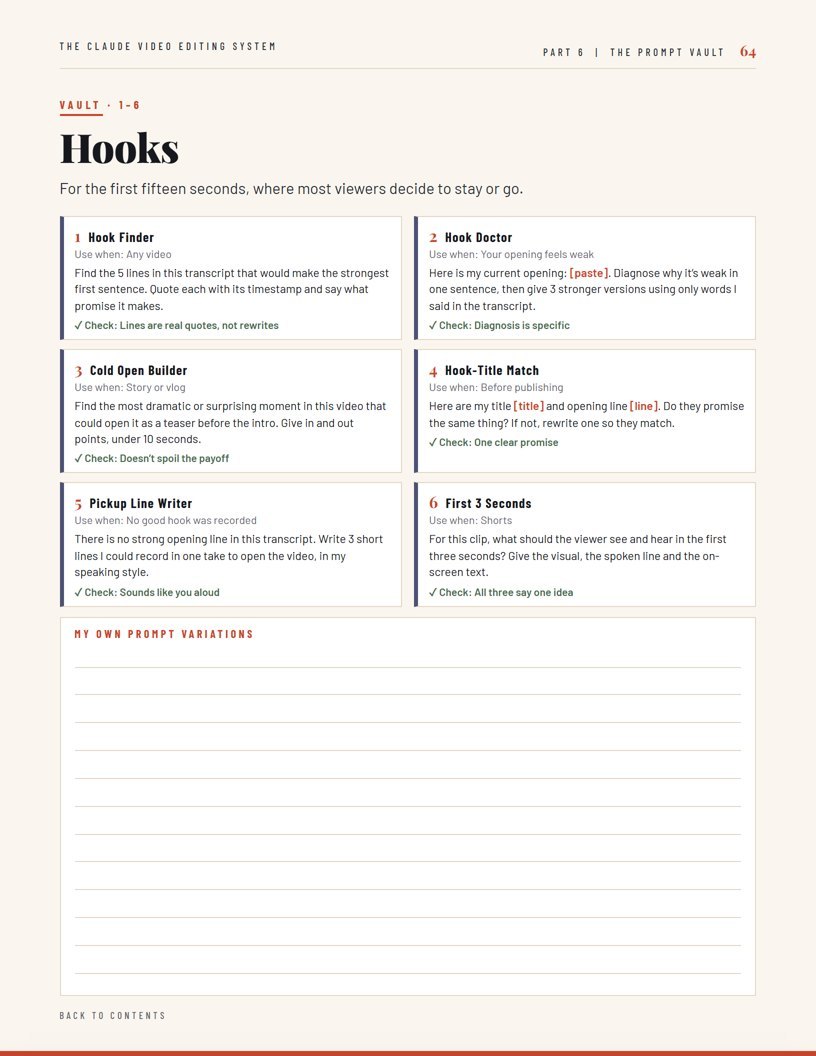
40 ready prompts grouped by job, each with when to use it and what to check in Claude’s answer.
Diagnose-and-go chart, the One-Page Edit Map, troubleshooting weak answers, a weekly batch planner, a video tracker and a glossary.
Clean, printable, and built to sit next to your editor, not to be read once and forgotten.


No “make my video better”. Every prompt tells Claude what to look for, how to point to it, and how to return it.
>_THE CUT-LIST PROMPTHere is the word-for-word script and the transcript with word timings. 1) For every script line, find each take and keep only the last complete one. 2) Remove filler words and pauses longer than [0.2] seconds, except the pauses listed in resources/pauses.md. 3) Write every decision to cut_list.md with start and end times and a reason. Do not cut the video yet.
Claude proposes. You decide. Nothing reaches the timeline until you approve it.The core rule
A Short isn’t a shorter video. It’s one idea, a hook and a payoff.The short-form rule
Polish nothing until the structure works. Rough cut first, decoration last.The build rule
One-time payment · 91-page PDF · instant download
Everything from the book as ready files: all 82 prompts in one copy-paste file, a video folder template with the rule files Claude reads, and 4 ready Claude Code skills. Pick “System + Edit Kit” on the checkout page.
Instant digital download · 14-day refund
It can do a lot of it. Parts 1 to 5 use Claude to plan the edit from your transcript, which works on any plan and with any editor. Part 6 shows four ways to let Claude do hands-on work: cutting pauses and retakes, writing captions and building motion graphics. You still watch the result and make the final calls, and the book is clear about what Claude can’t judge.
No. Everything is plain-English prompts. The hands-on routes in Part 6 use Claude Code or a connection to your editor, which takes some one-time setup; the book walks through it, and Claude can install the tools for you after you approve.
You can use the planning prompts on any Claude plan that lets you paste or upload a transcript. Paid plans give you more usage and features like Projects and Claude Code, which the hands-on routes need. Plans and limits change, so check Anthropic’s current pricing.
The planning works with any editor: CapCut, Premiere Pro, DaVinci Resolve, Final Cut Pro, Descript and others. The hands-on routes cover CapCut, Premiere Pro and DaVinci Resolve, plus a rough cut you can export to most editors.
Yes. There is a full short-form workflow with a worked example, a Clip Map for pulling Shorts from longer content, and a podcast clip system.
Right after checkout you get the PDF to download, and the receipt email has the link too. You can re-download it any time from the customer portal with the email you used.
Walk into the edit with a plan, let Claude handle the mechanical cuts, and finish the video you meant to make.
Get the System for $29